Why Email Tracking Extensions Are a Security Risk (And How to Track Safely)
Executive Summary
Browser extensions and CRM plugins frequently demand comprehensive OAuth permissions that expose your entire inbox to third-party developers. These vulnerabilities can be completely avoided by utilizing standalone pixel generation platforms like MailPing, which provide precise, proxy-aware engagement metrics without ever requiring read or write access to your personal or professional emails.
The Hidden Cost of Convenience
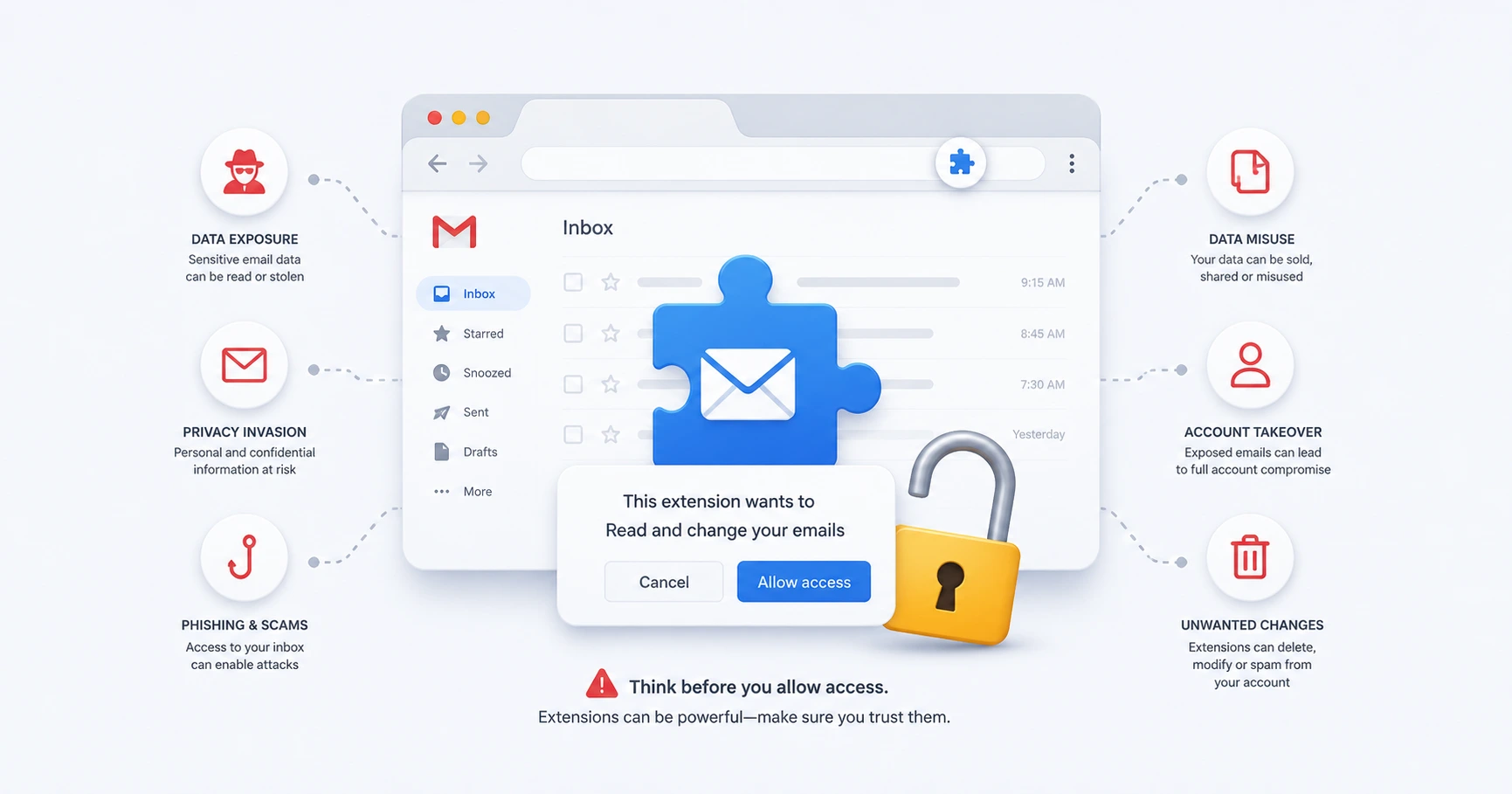
Many tracking tools mask their invasive nature behind the convenience of a browser extension. When you install these tools directly into Google Chrome or Edge, you are typically prompted to grant a series of API permissions. Users often click "Allow" without reading the fine print, inadvertently giving a third-party company the ability to read, send, and permanently delete all emails within their account. This level of access transforms a simple utility into a massive security liability.
How OAuth Permissions Expose Your Inbox
Modern web applications use an open standard for access delegation called OAuth. When a tracking extension integrates into Gmail, it uses Google's API to bridge the gap between their servers and your inbox. To add tracking buttons inside your compose window and sync data back to their servers, these extensions routinely request aggressive OAuth scopes such as mail.read and mail.modify.
This means the extension developer has full technical capacity to programmatically scan your inbox contents. If that third-party company suffers a data breach, or if a malicious actor compromises the extension's codebase, your confidential communications—including passwords, financial documents, and personal contacts—are fully exposed.
Data Mining and the Free Software Trade-off
Beyond external security threats, there is the internal threat of data mining. If an email tracking extension is completely free and requires full read access to your inbox, it is highly probable that your data is the product. Some companies scrape purchasing data, contact lists, and behavioral information from your incoming emails to sell to advertising networks or train machine learning models.
The Zero-Access Alternative: Standalone Pixel Tracking
The only way to guarantee absolute security is to completely decouple the tracking mechanism from your inbox infrastructure. In a minimalist guide to email tracking in Gmail without a CRM, the consensus is clear: rely on standalone tools.
MailPing was built explicitly on a zero-impact, privacy-first architecture. Instead of installing an extension that demands OAuth permissions, MailPing operates as an independent web dashboard. You generate a tracking link externally and manually paste it into your email as an image via URL. MailPing monitors the network activity of that specific image request on the open web, filtering out proxy pings and delivering accurate timelines. At no point does MailPing ever request access to read, view, or modify your inbox, ensuring your personal security remains uncompromised.
Explore the Security Cluster

Try MailPing for free
Generate an invisible, proxy-aware tracking link to confidently verify when your important emails are opened. No CRM required, zero inbox access.
Related Questions
Are email tracking extensions safe to use?
Most email tracking extensions require extensive OAuth permissions that grant third-party developers the ability to read, send, and delete your emails. This creates a significant security vulnerability. To track emails safely, it is recommended to use standalone pixel generators that require zero inbox access.
Does MailPing read my personal emails?
No, MailPing operates on a zero-access architecture. It does not request OAuth permissions to your inbox, meaning it cannot read, modify, or delete any of your personal emails. It only tracks the independent pixel you manually insert.