
How Gmail Send Mail As Works With Custom Domain Email
Many professionals send email from domain addresses such as [email protected] while using Gmail as their primary inbox. This setup is common among freelancers, startups, and small businesses that want to maintain domain branding without operating their own email infrastructure. In many cases, Gmail is not the actual mail host. Instead, Gmail functions as the interface layer while the domain’s mail server handles delivery.
This configuration is commonly known as Gmail’s “Send Mail As” feature.
It allows users to compose messages inside Gmail while sending them through an external mail server associated with their domain.
Why People Use Gmail With Domain Email
Gmail’s interface is widely used because it provides a familiar environment with powerful spam filtering, search capabilities, and mobile synchronization.
Instead of switching to a separate mail client, many domain owners simply connect their domain mailbox to Gmail.
If you want a step-by-step explanation of tracking domain email, see How to Track Email From Your Own Domain.
The Send Mail As Configuration
When “Send Mail As” is enabled, Gmail authenticates with the external mail server using SMTP credentials.
The flow typically works like this:
- The user composes a message inside Gmail
- Gmail authenticates with the external SMTP server
- The domain server sends the message to the recipient
From the recipient’s perspective, the email appears to come directly from the domain address.
Infrastructure vs Identity
Although the email address may display a domain identity, Gmail may still participate in the sending process through authentication, routing, or message composition.
This distinction between identity and infrastructure is often overlooked. A broader technical overview of how Gmail mediates image retrieval, filtering, and domain-based email workflows can be found in the Gmail Infrastructure Guide.
A broader explanation of how Gmail functions as email infrastructure can be found in Gmail Has Quietly Become Infrastructure for Custom Domain Email.
Authentication and Deliverability
When sending email through external SMTP servers, authentication records such as SPF, DKIM, and DMARC must be configured correctly.
If these records are misaligned, recipients may see warnings or messages may be filtered as spam.
These authentication layers play a major role in how domain-based email is trusted across the internet.
How This Affects Email Tracking
When Gmail is used as the sending interface, tracking systems must interpret signals that pass through multiple infrastructure layers.
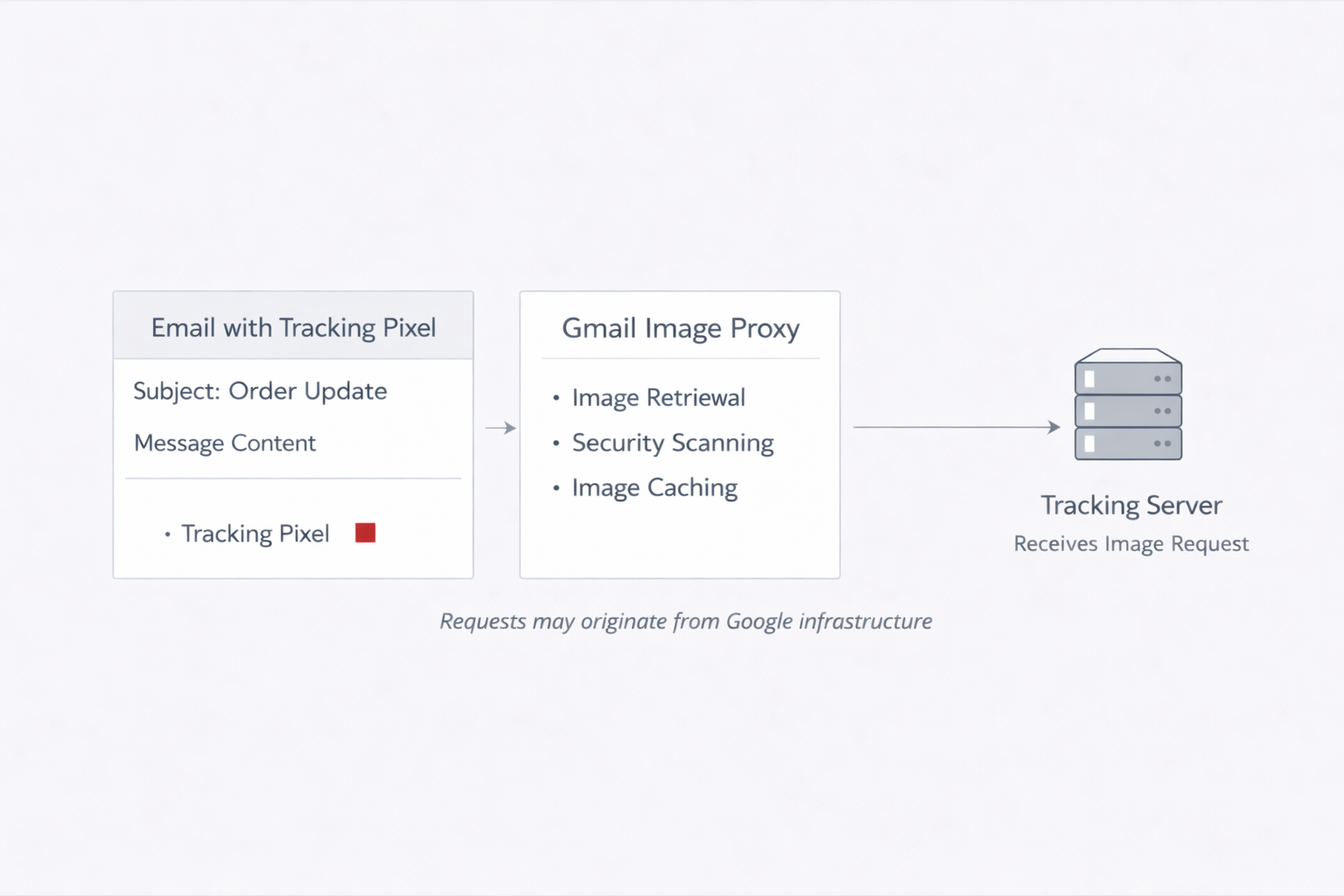
Image requests, proxy behavior, and caching may all influence how engagement signals appear.
Because multiple infrastructure layers can be involved in the sending and rendering process, interpreting tracking signals requires distinguishing between sender infrastructure, intermediary platforms, and recipient-side activity. MailPing’s tracking model attempts to separate these layers when reporting delivery and open events.
For example, Gmail’s proxy systems can alter how tracking pixels are requested. A deeper explanation can be found in Why Gmail Email Opens Are Often Wrong (Gmail Image Proxy Explained)
The Growing Role of Gmail as Interface Layer
As domain email adoption grows, Gmail increasingly acts as the operational interface for many external mail systems.
The domain identity remains visible to recipients, but the interface and user experience are often powered by Gmail. This architectural separation between identity and infrastructure also influences how engagement signals appear when messages are opened in Gmail’s proxy environment, which is explained in Why Gmail Email Opens Are Often Wrong (Gmail Image Proxy Explained).
This hybrid model — domain identity combined with shared infrastructure — has become a common architecture for modern email workflows.

MailPing conducts independent analysis of Gmail infrastructure, proxy image retrieval systems, and modern email tracking behavior through controlled testing and research.